
Microsoft's move toward phishing-resistant authentication is a positive security change. It also gives social engineers a believable new pretext: an urgent call or message claiming your passkey, MFA or single sign-on needs to be fixed.
Microsoft has recently described intrusion activity in which attackers impersonated IT support and used authentication-related instructions to steer targets through malicious sign-in or device-code flows. Once an attacker obtains a usable session, cloud data and identity settings can become targets.
The safe response is verification
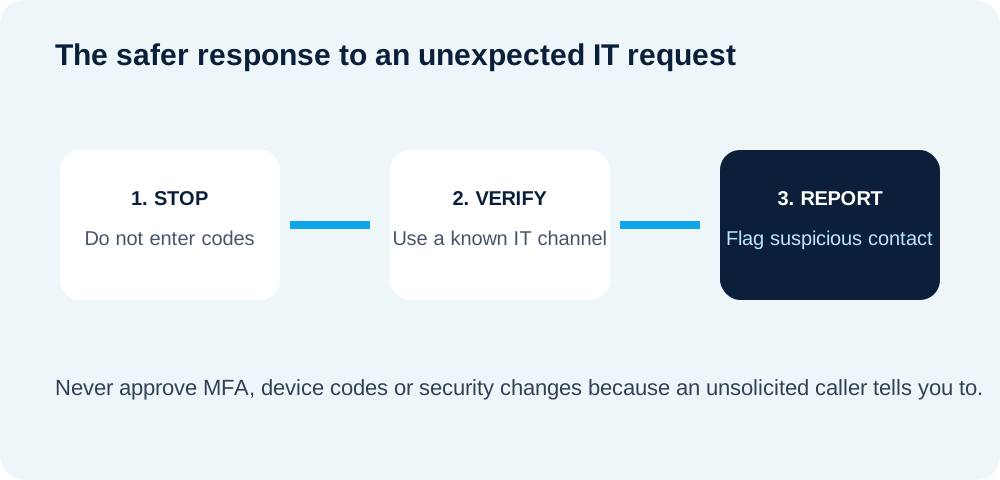
Employees should not approve MFA prompts, enter device codes, reveal passwords or change authentication methods simply because an unexpected caller says it is required.
What CyberEase recommends
Use a known channel. Hang up and call IT using a number already documented by your organization, or open your normal support ticket system.
Communicate planned changes. Tell staff before authentication changes are rolled out so a scammer cannot create urgency around an unfamiliar prompt.
Protect privileged accounts first. Administrators should use phishing-resistant authentication and separate privileged identities where practical.
Review authentication changes. Unexpected additions of sign-in methods or suspicious sessions should be investigated promptly.
This is a useful follow-up to the passkey transition itself: stronger authentication helps, but organizations also need processes that stop attackers from manipulating users during enrollment and recovery.
Sources: Microsoft Security research and Microsoft Entra authentication guidance.
Simple IT. Strong Security. — CyberEase